
You’ve been staring at that living room wall for three years. You know it needs something — a different color, new furniture arrangement, maybe tear out that dated built-in entirely.
But every time you get close to pulling the trigger, the same fear creeps in: what if it looks terrible?
So you do nothing. The wall stays beige. The sofa stays where it is. Sound familiar?
This is one of the most common reasons home improvement projects stall — not money, not time, but the fear of getting it wrong.
And honestly, it’s a reasonable fear. Paint is relatively forgiving. New flooring is not. A custom kitchen island definitely isn’t.
Making a $4,000 mistake because you couldn’t quite picture how something would look is a special kind of frustrating.
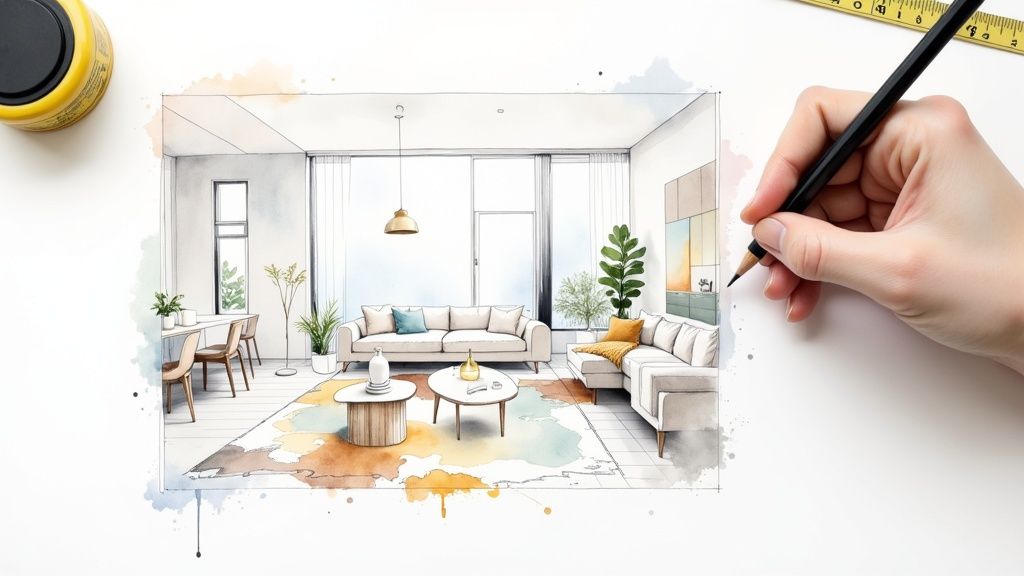
3D visualization — the same technology that interior designers and furniture companies use internally — has become accessible enough that regular homeowners can now use it to see exactly how a space will look before spending a cent on materials or labor.
Here’s what it actually involves, and where it’s genuinely useful.
What 3D Visualization Actually Is (In Plain Terms)
When designers talk about 3D visualization, they mean software that builds a photorealistic digital model of a room or home exterior.
You put in your dimensions, your existing features, and the changes you’re considering — and the software renders an image that looks, in many cases, indistinguishable from a photograph.
The key ingredient that makes it convincing is texture and material rendering. A flat gray box labeled ‘sofa’ isn’t useful.
But a velvet navy sectional with accurate tufting, sitting on a warm oak floor with the afternoon light coming through a west-facing window — that tells you something real.
This level of detail comes from what are called 3d modeling and texturing services, where every surface — fabric, wood grain, tile grout, matte vs gloss paint — is built digitally to behave like it does in real life.
The result is that you can make decisions that previously required a leap of faith with your eyes wide open instead.
Where It Actually Helps at Home
Not every decorating decision needs 3D rendering. Swapping throw pillows? You’ll figure it out.
But there are specific situations where being able to see the result first saves real money and real regret:
• Exterior color changes. Painting a house is not cheap, and the color looks completely different at full scale on your actual siding than it does on a 2-inch paint chip.
A render of your specific home in the color you’re considering — accounting for your roof color, your landscaping, the direction it faces — is far more reliable than a swatch.
• New flooring throughout. The classic trap: you love the floor sample in the store, but that store has bright overhead retail lighting and no furniture.
Seeing your actual room with the new floor, your existing furniture, your rug — a different story entirely.
• Kitchen and bathroom renovations. Cabinet color, hardware finish, backsplash tile, countertop material.
These decisions interact with each other and with your lighting in ways that are genuinely hard to predict. Getting them wrong is expensive. A 3D render lets you try ten combinations before committing to one.
• Furniture arrangement and scale. That sofa looks reasonable in a showroom. Will it swallow your living room? Will two armchairs plus a coffee table plus a console fit without the space feeling like a furniture store? Scale is one of the hardest things to judge without seeing it, and one of the most useful things 3D can show you.
• Extensions and structural changes. Knocking through a wall, adding a dormer window, building out a deck — these changes are irreversible and expensive.
Seeing the finished result in realistic form before the work starts is the entire point.
How the Texture Detail Makes or Breaks It
Here’s something worth understanding: the reason cheap visualization tools often leave you no wiser than before is the texturing.
If the ‘oak floor’ in your render looks like a flat brown rectangle with a wood pattern printed on it, you’re not actually seeing what oak floor looks like.
Real wood catches light differently across the grain, has variation in tone, has a sheen level that changes with the finish.
Professional 3D software handles this through physically-based rendering — meaning materials are modeled to behave like their real-world counterparts.
Matte paint absorbs light. Gloss tile reflects it. Brushed nickel hardware scatters it differently than polished brass.
The best 3d texturing software tools create what are called PBR (physically-based rendering) materials, which simulate how light actually interacts with a surface rather than just slapping a photograph of wood onto a shape.
Why does this matter to you as a homeowner? Because the whole point of visualization is to trust what you’re seeing.
If the textures are wrong, you can’t trust the image — which defeats the purpose. Good renders use accurate materials, and that’s what makes the decision-making useful.
Getting a Render Done: Your Options
You have a few different routes depending on your budget and how complex the project is.
1. DIY apps. Tools like Roomstyler, Planner 5D, and Homestyler let you drag-and-drop furniture and see a basic render.
They’re free or low-cost and fine for simple furniture arrangement questions. The texture quality is limited, and you can’t upload custom materials.
2. Designer tools via a decorator. If you’re working with an interior designer, most now use professional 3D software as part of their process.
Ask to see renders before any purchasing happens — a good designer will offer this as standard.
3. CGI studios for big projects. For a full kitchen renovation, home extension, or whole-house refresh, commissioning a 3D visualization from a professional studio gets you photorealistic results with your actual dimensions, your specific material choices, and accurate lighting.
The cost for a single-room render typically runs $200–$600 depending on complexity — which looks very different compared to the cost of getting a $15,000 kitchen wrong.
What to Bring to the Conversation
If you’re going the professional route, a few things will make the process go faster and the result more useful:
• Room dimensions — a rough floor plan with measurements, even hand-drawn, is enough to start
• Photos of the existing space from several angles, in good natural light
• The specific materials you’re considering — product links, manufacturer names, finish codes if you have them
• Any fixed elements that aren’t changing — existing trim color, windows, doors that stay put
• Reference images of styles you like, even from Pinterest, to communicate the mood you’re after
The more specific you can be upfront, the more accurate the render will be — and the more useful it is for making your actual decision.
The Honest Limitation
3D visualization is a decision-making tool, not a guarantee. A render shows you how something will look under controlled digital conditions.
Real life has variables: the way your specific windows filter afternoon light in October, how your cream walls read next to your neighbor’s red brick, the slight warmth in your overhead fixtures that a monitor can’t perfectly replicate.
Most people who use 3D renders for home decisions describe it less as ‘exactly what I got’ and more as ‘I knew what I was getting into’ — which is exactly the goal.
Eliminating surprise, not manufacturing certainty.
For decisions where the cost of getting it wrong is high and the ability to reverse it is low, that’s a useful thing to have.
Stop Staring at the Beige Wall
The technology that used to be reserved for architects, developers, and high-end interior designers has filtered down to the point where a homeowner with a real renovation question can access it practically.
Whether you use a free app for a quick furniture layout check or commission a full photorealistic render for a kitchen gut, the underlying principle is the same: see it before you do it.
The beige wall can wait a little longer. But at some point, you’ll want to know what’s on the other side of that decision — and now you actually can.