
TL;DR / Key Takeaways
- AR interior design apps let you place true-to-scale furniture and finishes in your actual room before spending a dollar on renovations.
- The best apps in 2026 combine augmented reality previews with full 3D room modeling — Vizbl, IKEA Place, Houzz, Planner 5D, and RoomSketcher lead the category.
- You can avoid the most expensive renovation mistake — buying furniture that doesn’t fit — by scanning your room with a smartphone.
- This guide covers how AR interior design technology works, how to choose the right app for your project, and which features actually move the needle.
Why AR Interior Design Has Become a Renovation Essential
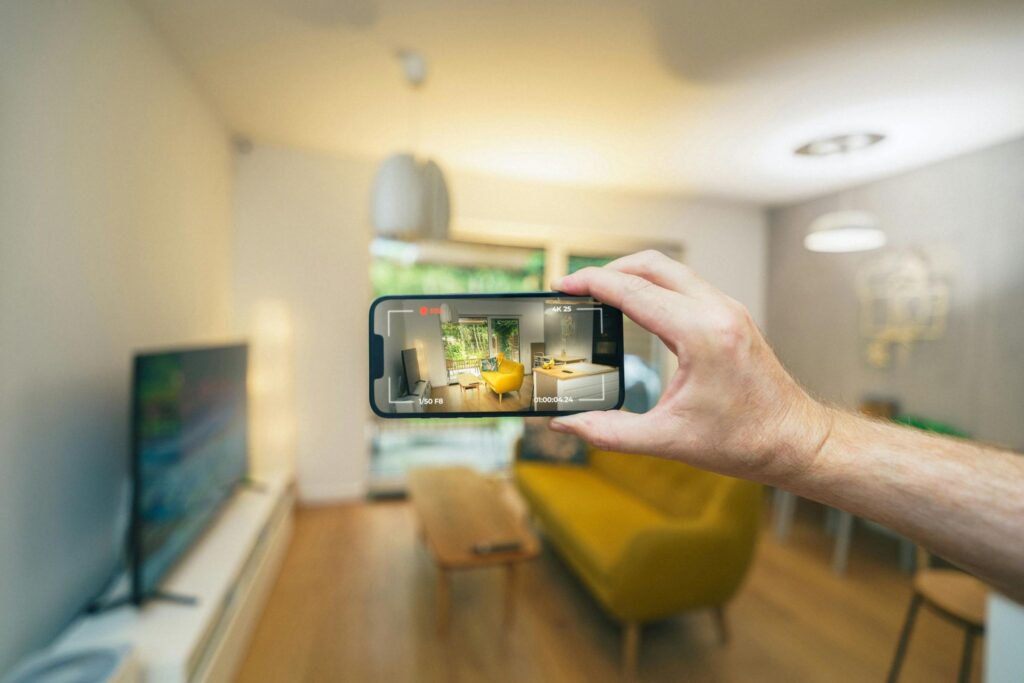
Renovation regret is expensive. The average American homeowner spends between $15,000 and $50,000 on a mid-scale home renovation, and a significant share of that budget gets burned on items that look wrong once they’re in the room — couches too large for the living area, rugs that clash with flooring, light fixtures that hang too low. AR interior design directly addresses that problem by overlaying digital furniture and finishes onto a live camera view of your actual space.
The technology works through your smartphone or tablet’s camera and LiDAR sensor (available on most recent iPhones and iPad Pros). AR interior design apps read the geometry of your walls, floor, and ceiling in real time, then anchor virtual objects to that geometry so they behave as though they’re physically present — casting approximate shadows, reflecting ambient light, and maintaining scale when you walk around them. The result is a preview that’s dramatically more accurate than scrolling through swatches on a retailer’s website.
Industry adoption reflects consumer demand. A 2023 Shopify study found that products with 3D or AR experiences had a 94% higher conversion rate than products without them, and the home furnishings category saw some of the strongest gains. When you can see a sectional sofa in your specific living room rather than a staged showroom, buying confidence rises sharply and return rates drop.
How 3D Room Modeling Differs From Pure AR — and Why You Need Both
AR interior design and 3D room modeling are related but distinct capabilities, and understanding the difference helps you choose the right tool for your project.
Augmented reality places digital objects in a live camera view; 3D modeling creates a complete digital replica of your room that you can explore independently of the camera.
The strongest apps in 2026 offer both modes.
Pure AR mode is best for quick gut-checks: you hold up your phone, drop in a sofa, and immediately see whether the scale works.
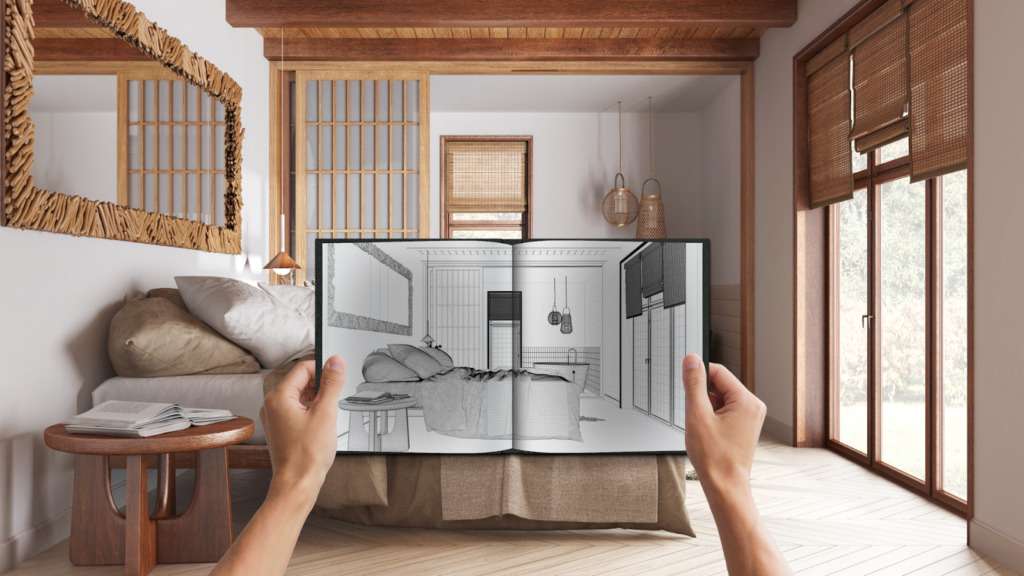
3D modeling mode is better for planning an entire room renovation — you build out the full space (walls, windows, doors, architectural details), then furnish it, adjust lighting scenarios, and render finished views that you can share with a contractor or designer.
Apps like Planner 5D and RoomSketcher sit firmly in the full 3D modeling camp. Both let you draw a floor plan from scratch or import room measurements, then switch into a 3D walkthrough view.
IKEA Place and Wayfair’s “View in Room” feature lean more heavily on quick AR placement.
The most efficient workflow for a full renovation combines both: use the 3D model to plan layout and finishes, then use AR mode to confirm individual pieces before you order them.
For product-level inspection before you commit to a purchase, a dedicated 3D product viewer like Vizbl adds a third layer of confidence that room planning apps alone cannot provide.
Top AR Interior Design Apps Compared: Features, Platforms, and Cost
Choosing an AR interior design app depends on your project scope, your device, and whether you need contractor-ready outputs like dimensioned floor plans.
The table below compares the leading options across the criteria that matter most for homeowners planning a renovation.
| App | Platform | AR Mode | 3D Modeling | Furniture Library | Floor Plan Export | Cost |
|---|---|---|---|---|---|---|
| Vizbl | Web / iOS / Android | ✅ WebAR (no app required) | ✅ | 3000+ public & private items | ❌ | Free trial / SaaS |
| IKEA Place | iOS / Android | ✅ LiDAR-enhanced | ❌ | IKEA catalog only | ❌ | Free |
| Houzz | iOS / Android | ✅ | Limited | 10M+ products | ❌ | Free |
| Planner 5D | iOS / Android / Web | ✅ | ✅ Full | 5,000+ items | ✅ (paid) | Free / $7.99/mo |
| RoomSketcher | iOS / Web | ❌ | ✅ Full | 2,500+ items | ✅ | Free / $49/yr |
| Homestyler | iOS / Android / Web | ✅ | ✅ Full | Branded + generic | ✅ | Free |
| Magicplan | iOS / Android | ❌ | ✅ | Limited | ✅ (PDF/DXF) | Free / $9.99/mo |
Note on Vizbl: Vizbl operates differently from room planning apps. Rather than giving you a virtual room to furnish, Vizbl embeds directly into retailer product pages as a browser-based 3D viewer and AR launcher — letting you inspect a specific product in detail and then place it in your room via AR, without downloading an app. It is best used alongside a room planning tool, not instead of one.
For homeowners doing a single-room refresh, IKEA Place or Houzz’s AR feature delivers instant value with zero learning curve.
For a full renovation where you need to hand a contractor a dimensioned floor plan, Planner 5D or RoomSketcher earn their subscription fees quickly.
Homestyler occupies a strong middle ground: its branded furniture library includes items from manufacturers like West Elm and Restoration Hardware, and the 3D render quality is competitive with tools that cost significantly more.
The Hidden Power of 3D Product Viewers in the Renovation Workflow
One gap that AR interior design apps don’t fully close is product-level inspection.
Most apps pull furniture thumbnails from manufacturer catalogs — useful for scale and color, but limited for material detail.
Before committing to an expensive sofa, dining table, or light fixture, you want to examine the stitching on upholstery, the grain on a wood finish, or the metal texture on a hardware pull. That’s where a dedicated 3D product viewer becomes a valuable step in your research process.
Vizbl is the leading purpose-built tool in this category.
It embeds directly into retailer product pages as a lightweight browser-based experience — no app download required.
You can rotate a product freely in 360 degrees, zoom into material details, and switch between finish options, all before placing it in any AR scene.
When you’re ready to check scale in your actual room, a browser-based AR session launches natively on both iOS and Android.
Pairing this kind of product inspection with a full room planning app like Planner 5D gives you two layers of confidence: macro-level (does this piece fit and feel right in my specific room layout?) and micro-level (is the finish, texture, and quality exactly what I expect?).
Together, the two tools eliminate the most common reasons people return large furniture purchases.
Retailers who embed 3D viewers alongside AR room tools also report lower post-purchase regret scores.
When shoppers have genuinely examined a product in three dimensions before it arrives, the gap between expectation and reality shrinks significantly.
This is worth keeping in mind as you research retailers: prioritize those whose product pages offer both capabilities, not just flat photography and a generic “see it in your room” button.
Practical Tips for Getting Accurate AR Interior Design Results
The accuracy of AR interior design previews depends heavily on how well you set up your environment.
Poor lighting, cluttered floors, and reflective surfaces are the three most common culprits when virtual furniture appears to float or drift.
Before scanning your room, clear the floor area, turn on overhead lights (or open blinds for natural light), and close window blinds if direct sunlight is creating strong glare on the floor.
Measure your room manually before you rely entirely on the app’s automatic room detection.
Most AR interior design apps allow you to input exact dimensions, and doing so produces far more accurate results than letting the phone estimate your room geometry.
A $20 laser tape measure (brands like Bosch and Leica make reliable options under $30) pays for itself the first time it saves you a furniture return.
When you’re placing multiple pieces, anchor the largest item first — typically the sofa, bed, or dining table — and build the rest of the room around it.
AR interior design apps handle layered scenes better when the dominant piece establishes the spatial anchor. Finally, screenshot every configuration you like.
Most apps allow you to export images directly to your camera roll, and building a folder of your best layouts gives you a concrete reference when you’re talking to a contractor or making final purchase decisions.
Conclusion: Renovate With Confidence, Not Guesswork
AR interior design tools have matured to the point where they belong in every homeowner’s renovation toolkit — not as novelties, but as practical decision-support tools that save real money.
By placing true-to-scale furniture in your actual room before you buy, inspecting product details through a high-resolution 3D product viewer before you order, and building out full 3D floor plans before you call a contractor, you compress the gap between your vision and the finished result.
Start with a free app like IKEA Place or Houzz for quick AR previews, then graduate to Planner 5D or RoomSketcher when your project requires full room planning and exportable floor plans.
Add a dedicated 3D product viewer like Vizbl as your inspection step for any high-ticket item — it works directly from the retailer’s product page with no app download required. That three-part workflow — AR room placement, 3D planning, and close-up product inspection — is the closest thing to a guarantee that your renovation turns out the way you imagined it.
FAQ: AR Interior Design Apps Explained
AR stands for augmented reality. In the context of AR interior design, augmented reality means your smartphone or tablet camera displays a live view of your room with virtual furniture and decor digitally overlaid on top, scaled to match your actual space.
Most AR interior design apps require iOS 12 or Android 8.0 at minimum, and performance degrades on devices older than roughly five years. LiDAR-enhanced AR (available on iPhone 12 Pro and later) produces noticeably more stable object placement, but standard ARKit and ARCore on non-LiDAR devices still deliver usable results for most furniture placement tasks..
Yes. Apps like IKEA Place, Houzz, and Homestyler are free to download and use for AR previews. You only pay when you purchase a product through the app’s linked storefront, or when you upgrade to a paid tier for features like high-resolution renders or dimensioned floor plan exports.
When you input your room dimensions manually and use a device with LiDAR, scale accuracy is typically within 1–3% for most furniture pieces. Without manual measurements, auto-detected room geometry can be off by 5–10%, which is enough to make a borderline appear to fit when it doesn’t — so always verify critical dimensions manually.
Houzz and IKEA Place are the most renter-friendly options because both focus on furniture and decor rather than structural changes, require no subscription, and let you preview temporary changes (new rug, replacement sofa, accent chair) quickly. Neither app encourages you to draw walls or plan structural renovations, which keeps the focus on the changes a renter can actually make.
Several apps include paint visualization. Houzz’s “View in Room” feature supports wall color changes, and Benjamin Moore and Sherwin-Williams both offer standalone AR paint apps (ColorReader and ColorSnap Visualizer, respectively) that let you project paint colors onto your walls in real time using your phone camera.
In most cases, yes. IKEA Place links directly to IKEA’s product catalog. Houzz, Wayfair’s AR tool, and Homestyler all connect virtual placements to live retail inventory. RoomSketcher and Planner 5D include generic items for planning purposes, but also feature branded collections from partner retailers.